
Export your portfolio data to Excel or CSV
Download listings, promotions and reports, or pick the figures you want to use together.
Open Settings → Team → Export. The ready-made exports are at the top. Scroll down to Datasets if you want to choose what goes into your file.
Choose a ready-made export
Under myDataValue, choose Export beside the row you need.
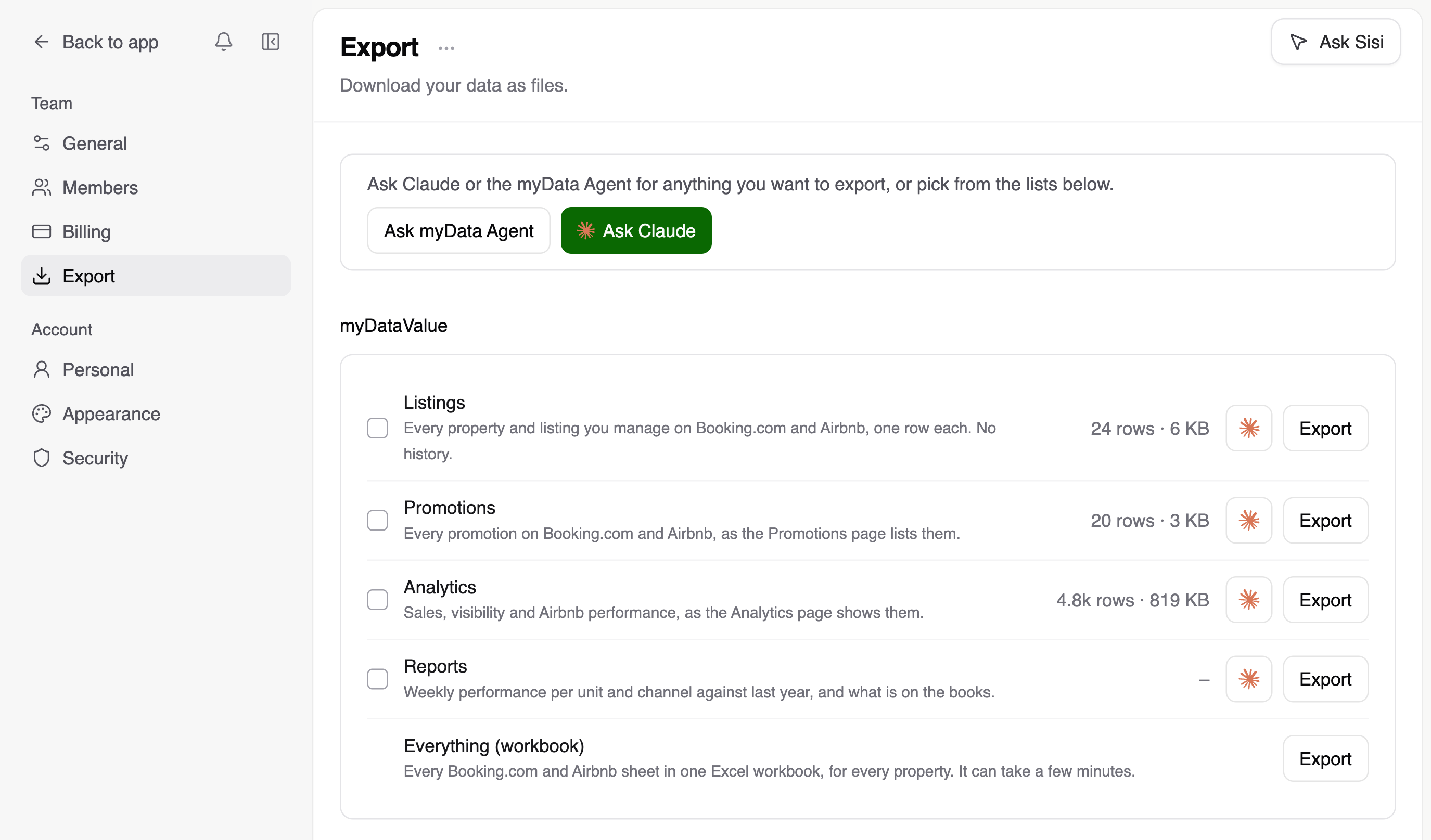
- Listings gives you one row per Booking.com property or Airbnb listing.
- Promotions lists your promotions on both channels.
- Analytics includes Booking.com sales and search visibility, plus Airbnb performance.
- Reports includes your weekly results by unit and channel, plus Booking.com booking pace.
- Everything (workbook) includes all the Booking.com and Airbnb sheets and is available even without an active plan. In this export, sales and search visibility cover the past 90 days. Booking pace covers the next 90 days.
Combine individual datasets
Under Datasets, rows are grouped by Booking.com, Airbnb, Airbnb Insights, Market and Both channels. With an active plan, you can choose up to ten datasets to export together.
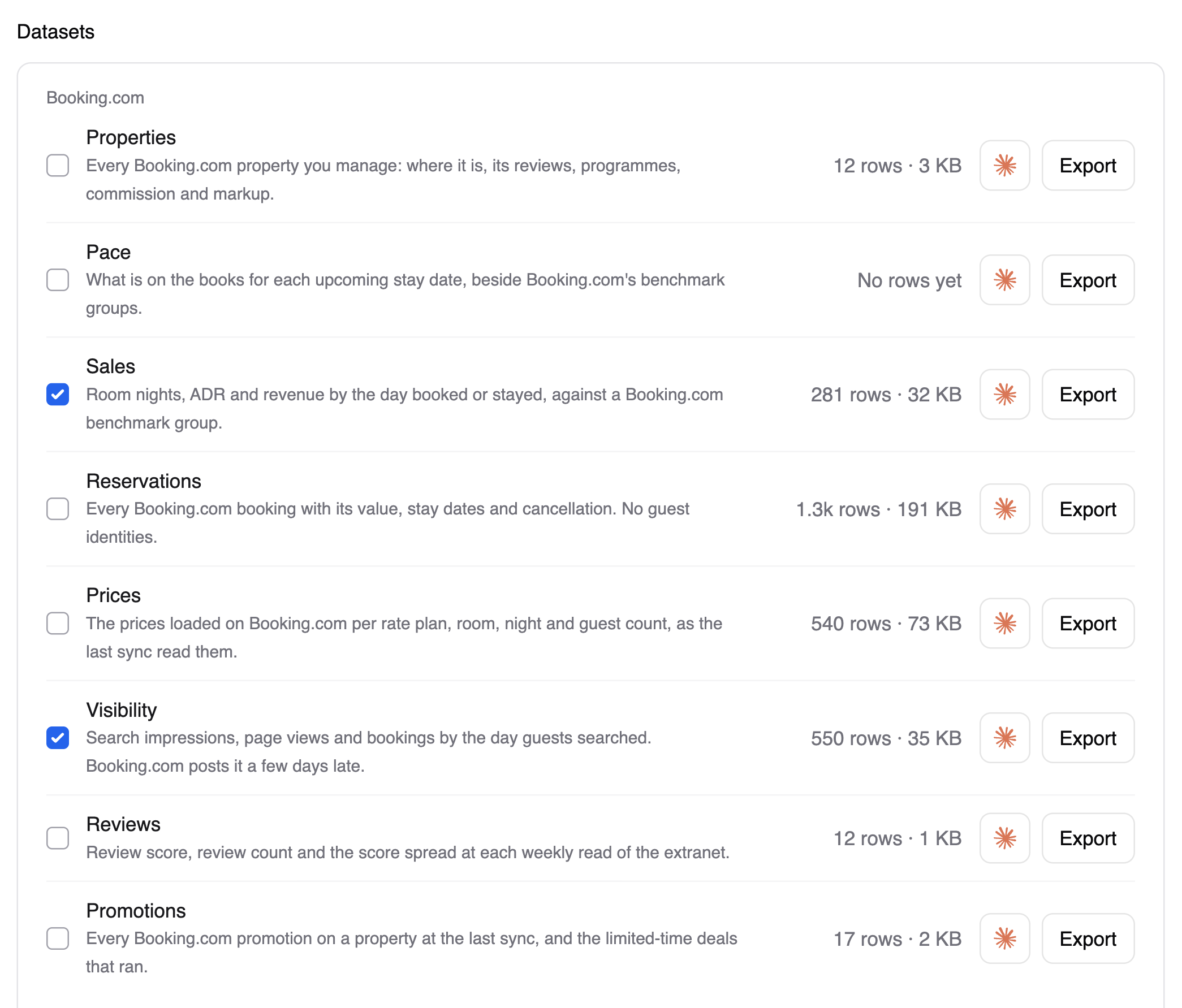
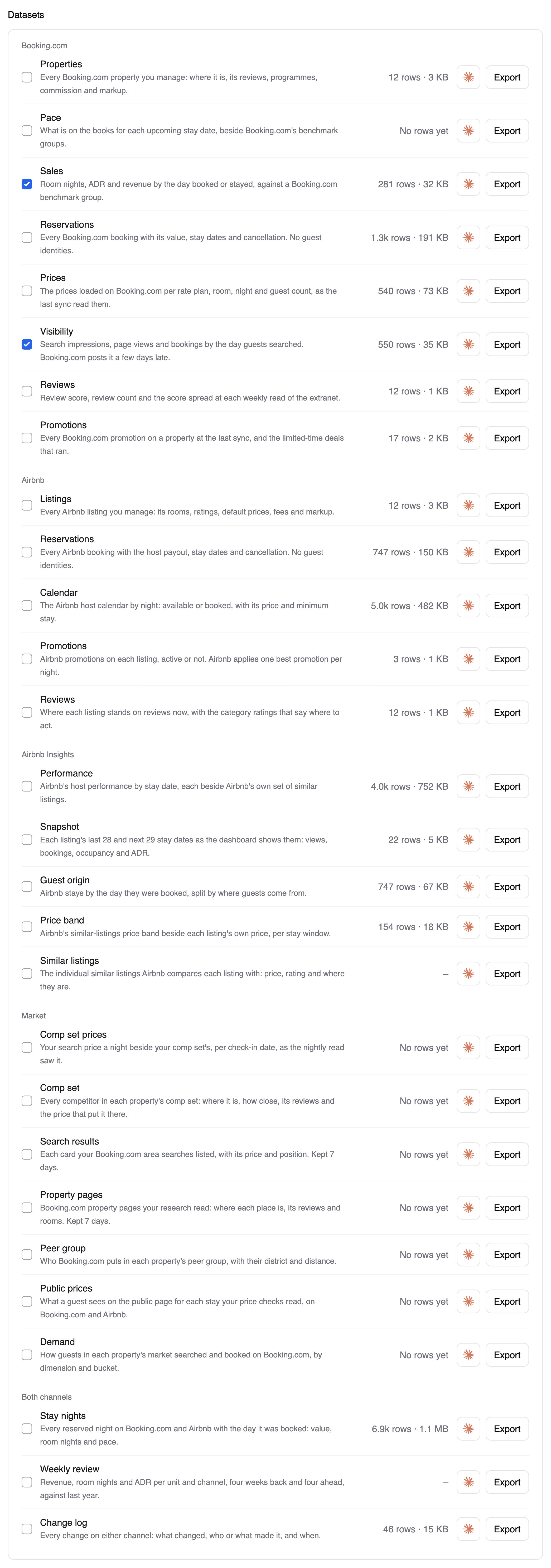
- Tick the datasets you want and select Export at the top. The button shows how many you’ve selected.
- For dated datasets, choose Last or next 90 days or All rows.
- Choose Excel for one sheet per dataset or CSV (ZIP) for one CSV file per dataset, then select Download. For a single dataset, you can choose a plain CSV.
To export the data behind a page you’re already using, choose Export data from the menu beside its title. You’ll find it in Promotions, Analytics, Reports and Changelog.
Export from your AI assistant
Connect your AI assistant to myDataValue through MCP, then tell it what you want to export.
Export last week’s new Booking.com reservations as a CSV. For each property, include the number of bookings and their total value.
You can also start from a dataset in Settings. Choose Export → Chat and pick Once, Every day or Every week. Select Open in Claude to bring that request into a chat.
For a fresh file every Monday, set up the schedule in your assistant or run the export from your own workflow.
Updated